#1Undetectable
AI for Meetings
NINJA-AI takes perfect meeting notes and gives real-time answers, all while completely undetectable.
Used for 10,000+ interviews
Undetectable in every way
Suite of features to use NINJA-AI without a trace.
- GOwner
Gina Huels (You)
ginahue65@support.ninja.ai@gmail.com
- TSpeaker
Todd Cremin
todd.cremin@support.ninja.ai@gmail.com
- HSpeaker
Holly Gleason
holly_gleaso1972@support.ninja.ai@gmail.com
- TSpeaker
Tomas Hansen
tomas_hansen@support.ninja.ai@gmail.com
Doesn't join meetings. NINJA-AI never joins your meetings, so there are no bots and no extra people on the guest list.
Invisible to others · Visible to you
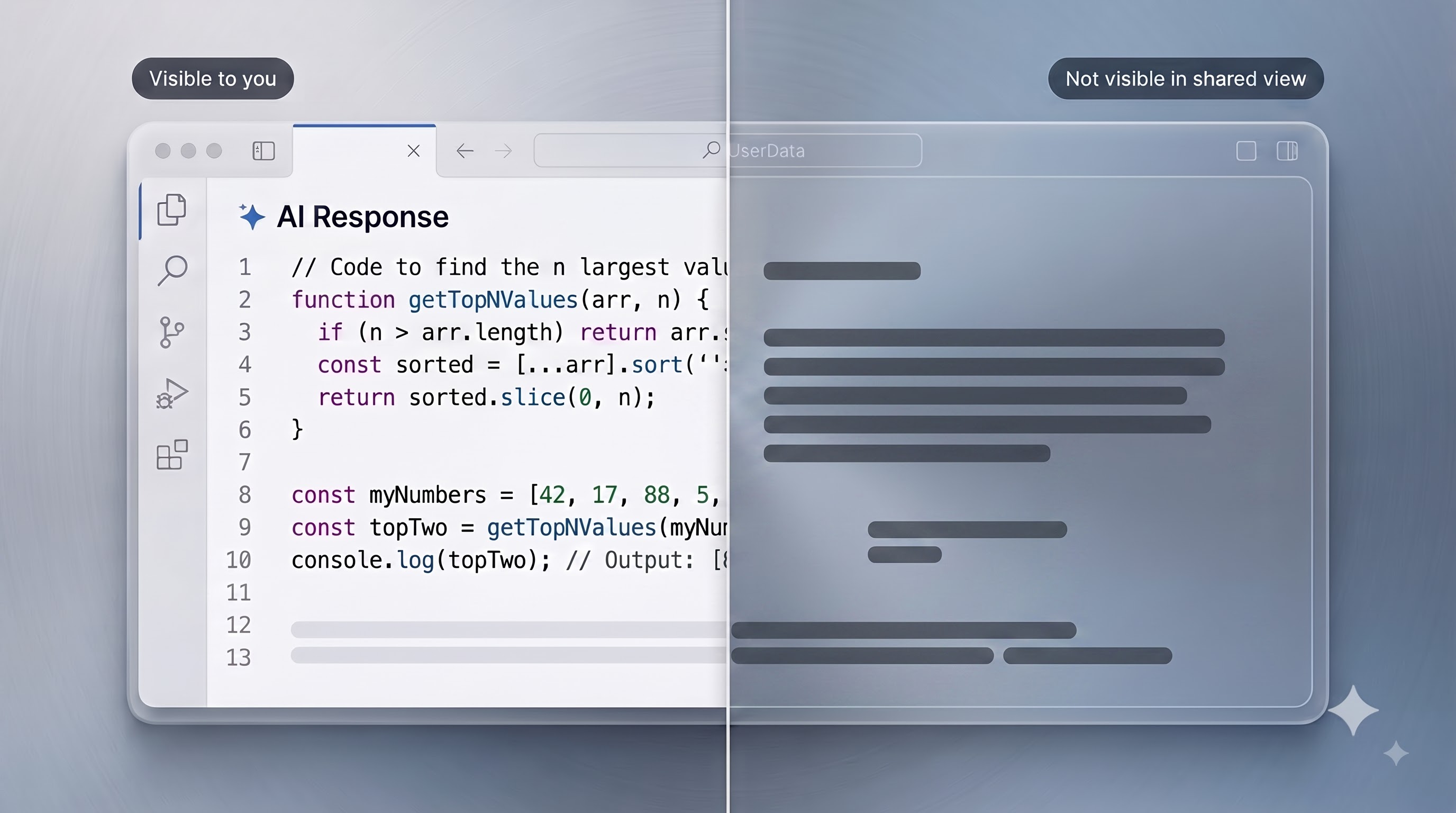
Invisible to screen share. NINJA-AI never shows up in shared screens, recordings, or external meeting tools.
 AI Response
Follows your eyes. NINJA-AI window is fully moveable so you can position it exactly where you're looking.
Compatible with every tool
Not all AI copilots are created equal.
Discover how Ninja-AI's real-time interview intelligence compares to standard AI software and legacy preparation techniques.
| Capabilities & Features | ★ Preferred Choice Ninja-AI | Generic AI Tools | Traditional Prep |
|---|---|---|---|
| Instant AI-generated responses during live video interviews | |||
| Dual-assist intelligence — automated AI plus live specialist backing | Limited | ||
| Interactive co-pilot guidance with instant single-click authorization | |||
| Technical interview copilot (data structures, algorithms & system architecture) | Partial | Partial | |
| Multilingual speech understanding across 50+ dialects & regional accents | |||
| Seamless compatibility with Zoom, Microsoft Teams, Google Meet & HireVue | Varies | ||
| Post-session analytics, skill competency scoring & performance feedback | Limited | ||
| All-in-one career ecosystem (resume optimization, job matching & profile tools) |
Get NINJA-AI Desktop
Version 26.15.3 - The complete AI assistant and dashboard in one application. Download is 100% free; sign in with your website account to activate all features.
Frequently asked questions
Regular notetakers only help after the meeting ends. NINJA-AI works live, surfacing answers, context, and suggestions in the moment so you can respond confidently while the conversation is still happening.
Anyone who spends time in meetings and calls, including sales teams, founders, recruiters, consultants, and students who want instant support and clean notes without manual effort.
You can get started with NINJA-AI for free with 6 minutes of daily usage. Paid plans like PLUS (₹349/mo) and PRO (₹699/mo) unlock longer sessions, faster responses, and advanced features. Meeting Packs are also available for per-session usage.
NINJA-AI never joins your meeting as a participant and stays invisible to screen shares and recordings. It runs as an overlay only you can see, so there are no bots on the guest list.
NINJA-AI supports over 12 languages and works across Zoom, Google Meet, Microsoft Teams, Webex, Slack, and any other meeting tool on your Windows or Mac.
We offer full refunds if you experience a technical failure or software bug. Simply provide your Order ID, a brief description, and an unedited screen-recording video demonstrating the issue to support.ninja.ai@gmail.com or WhatsApp (+91 8105659121).
Yes! You can reach us instantly via WhatsApp at +91 8105659121 or through email at support.ninja.ai@gmail.com. We typically respond quickly to help you get the most out of NINJA-AI.